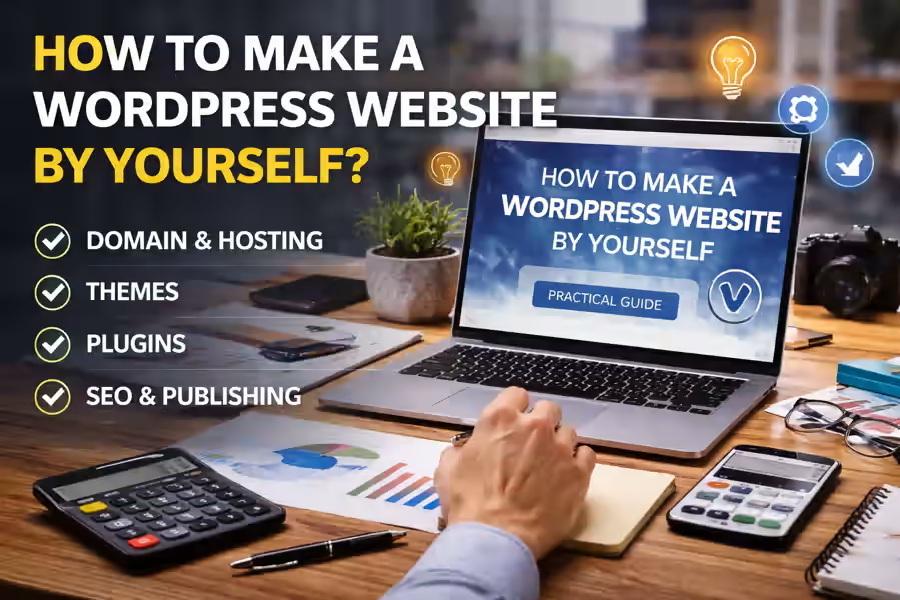
Creating a professional website is no longer something only developers or agencies can do. Today, with the right tools, it is completely possible to learn how to make a WordPress website by yourself and launch a functional, modern project adapted to your business needs.
WordPress is one of the most popular platforms in the world for website creation. Its main advantage is that it combines flexibility, ease of use, and a wide variety of themes and plugins. That is why it is an excellent choice for anyone who wants to build a website without starting from scratch with coding. If you want a broader overview of the entire process, it is also worth reading the main guide WordPress website creation.
In this article, you will learn step by step how to create your own WordPress website, what you need to get started, and which mistakes you should avoid.
Why choose WordPress?
Before you begin, it is worth understanding why WordPress is so often recommended for people who want to build a website on their own.
WordPress allows you to create different types of websites, such as:
- business websites;
- blogs;
- portfolios;
- landing pages;
- service websites;
- online stores with WooCommerce.
In addition, the platform is user-friendly, has a huge support community, and makes it possible to add new features as your project grows.
What do you need to create a WordPress website by yourself?
To get started, you need a few basic elements:
1. Domain name
A domain is your website’s address on the internet. It is the name visitors will type into their browser to find your website.
2. Web hosting
Hosting is the service where your website files are stored. For WordPress to work properly, it is best to choose hosting that is stable, fast, and offers good technical support.
3. WordPress installation
Many hosting providers already offer one-click WordPress installation. This makes the process much easier, especially for beginners.
Step by step: how to make a WordPress website by yourself
1. Define the goal of the website
Before installing themes and editing pages, it is important to understand what the website should do. Ask yourself:
- will it present services?
- do you want to generate leads?
- are you planning to sell products?
- do you need a blog?
- do you want to show a portfolio?
The clearer your goal is, the easier it will be to make decisions about structure, design, and content.
2. Choose the right theme
After installing WordPress, one of the first steps is choosing a theme. The theme defines the overall appearance of your website.
When choosing a theme, look for one that is:
- responsive;
- fast;
- visually professional;
- easy to customize;
- compatible with important plugins.
Avoid heavy themes with too many unnecessary visual effects. A simple and well-organized design usually works better. If you want to explore this topic further, you can also read How to Choose a WordPress Theme.
3. Install only the essential plugins
Plugins are used to add functionality to your website. There are plugins for SEO, contact forms, security, caching, backups, and much more.
However, one common mistake people make when building a website by themselves is installing too many plugins. This can slow the website down and create conflicts. The best approach is to use only what is really necessary.
Usually, the most important plugins are for:
- security;
- speed optimization;
- SEO;
- contact forms;
- backups.
If you are wondering which plugins are necessary for WordPress, the best strategy is to start with a simple setup and only add extra features when they are actually needed.
4. Build the main website structure
Before publishing, organize the essential pages. In most cases, a website should include at least:
- home page;
- about page;
- services or products page;
- contact page;
- privacy policy.
Depending on the project, you may also add a blog, FAQ section, testimonials, or a portfolio.
A good structure helps visitors find information quickly and improves the browsing experience.
5. Customize the design
Once the main pages are defined, customize the website according to your brand or project identity. Adjust:
- colors;
- typography;
- logo;
- header;
- footer;
- buttons;
- images.
The important thing is to keep the visual style consistent. A website that feels overloaded or confusing looks less professional.
6. Write clear and useful content
Even with a good design, your website will not perform well without quality content. Texts should be clear, objective, and focused on what visitors need to know.
Explain:
- who you are;
- what you offer;
- what the benefits are;
- why people should choose your service;
- how they can contact you.
Use simple language and avoid exaggerated claims. The content should build trust and help visitors make decisions.
7. Set up the menu and navigation
Navigation should be intuitive. The main menu needs to be well organized and include only the most important pages.
When a user enters your website, they should quickly understand where to click and how to move forward.
8. Make the website responsive
Today, a large share of traffic comes from mobile devices. That is why, when creating a WordPress website by yourself, it is essential to check whether everything works properly on different screen sizes.
Make sure to review:
- text size;
- spacing;
- clickable buttons;
- mobile loading;
- overall readability.
9. Work on basic SEO
For your website to have a better chance of appearing on Google, you should apply some basic SEO practices.
This includes:
- well-defined titles;
- simple URLs;
- meta descriptions;
- relevant keywords;
- a good heading structure;
- optimized images;
- fast loading speed.
SEO does not produce instant miracles, but it helps a lot with organic growth over time.
10. Test everything before publishing
Before launching your website, do a full review. Check:
- links;
- forms;
- mobile version;
- spelling;
- speed;
- images;
- missing pages.
Small technical or content mistakes can create a poor first impression. To avoid common problems, it is also useful to learn about the main mistakes when creating a WordPress website.
How much does it cost to make a WordPress website by yourself?
Many people start this process to save money, and that makes perfect sense. Still, it is important to understand that how much a WordPress website costs depends on several factors, such as the domain, hosting, premium themes, paid plugins, and optional outside services.
Even when you build the website by yourself, there may still be costs for:
- yearly domain registration;
- web hosting;
- professional theme;
- premium plugins;
- security or backup tools.
The advantage is that in this model you have more control over the budget and can invest gradually as the project grows.
What are the advantages of making a WordPress website by yourself?
Creating your own website can bring several benefits:
- lower initial costs;
- greater control over the project;
- freedom to edit content;
- useful learning experience for future projects;
- the ability to launch faster.
For small businesses, personal projects, and independent professionals, this can be a very practical solution.
What are the challenges?
Despite the advantages, there are also challenges. Building a website by yourself takes time, attention to detail, and some patience to learn.
The most common mistakes include:
- choosing the wrong theme;
- installing too many plugins;
- creating a confusing structure;
- using weak content;
- ignoring SEO;
- not optimizing speed;
- forgetting about security.
So even though it is possible to create the website on your own, it is important to do it with a clear method and proper planning.
Is it worth making a WordPress website by yourself?
Yes, it is worth it, especially when the goal is to create a simple, functional, and well-presented website. For many projects, WordPress offers everything needed to get started with quality.
At the same time, it is important to understand that a professional website does not depend only on the platform. The final result depends on the structure, the content, the clarity of the offer, and the user experience.
Conclusion
Learning how to make a WordPress website by yourself is an excellent option for anyone who wants to build an online presence with more independence and control. With good hosting, the right theme, well-written content, and a clear structure, it is possible to create a modern and professional website without unnecessary complications.
The most important thing is not to rush the process. A well-built website can become a valuable tool for promoting services, generating contacts, and strengthening the credibility of your project. And for a complete overview of the process, this page should be linked to the main article WordPress website creation.