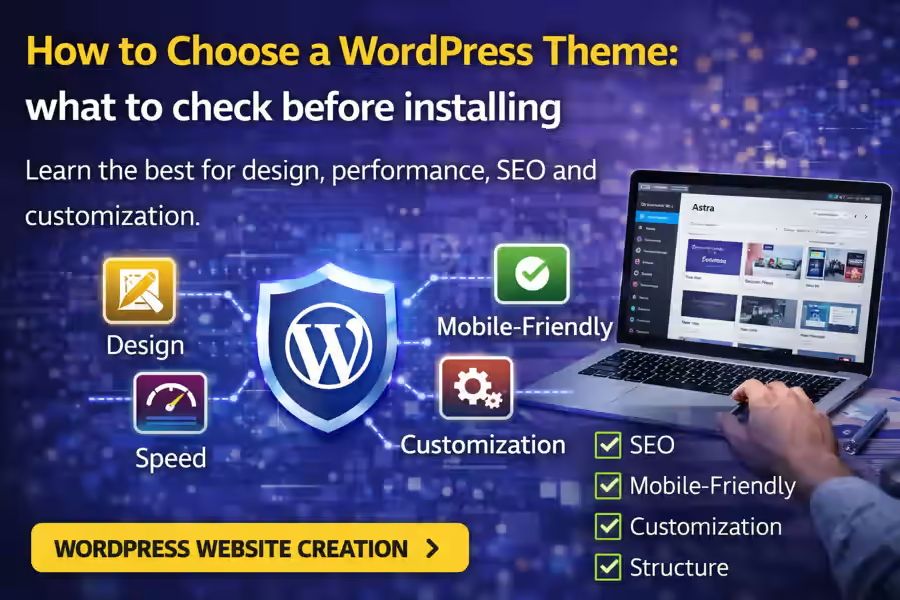
Choosing the right theme is one of the most important decisions when creating a WordPress website. Many people think only about appearance, but the truth is that a theme affects much more than design. It influences website speed, user experience, customization flexibility, and even SEO performance.
That is why, if you are thinking about how to choose a WordPress theme, you should treat the theme as a strategic foundation of the project, not just as a nice-looking template. If you want to understand the broader context of the platform, it is also worth starting with the main guide on WordPress Website Creation.
In this article, you will see what really matters when choosing a theme, what mistakes to avoid, and how to make a safer decision for your website.
Why is the theme choice so important?
A theme defines the visual structure of the website, but it also affects navigation, content organization, plugin compatibility, and day-to-day website management.
A poorly chosen theme can lead to problems such as:
- a slow website;
- limited customization;
- messy design;
- weak mobile performance;
- plugin conflicts;
- restrictions on future growth.
On the other hand, a good theme helps you build a faster, more professional website that is easier to develop in the future.
Design matters, but it is not everything
It is natural that visual appearance is the first thing people notice. After all, nobody wants an outdated or unattractive website. However, when thinking about how to choose a WordPress theme, you should not decide based only on the demo design.
Many demos look impressive because they use:
- professional images;
- well-written text;
- well-organized sections;
- appealing animations.
In practice, what matters is whether the theme still looks clear, functional, and professional when adapted to your own content.
1. Check whether the theme is responsive
Today, a large part of website traffic comes from mobile devices. That is why the theme should work well on:
- smartphones;
- tablets;
- desktops.
A good responsive theme adapts the layout without breaking important elements, while keeping the text readable, buttons accessible, and navigation clear. A website that looks good on desktop but performs poorly on mobile loses a lot of value.
2. Prioritize speed
Website speed is essential both for user experience and SEO. Some themes look visually impressive, but they come overloaded with effects, scripts, and unnecessary resources.
When choosing a theme, think about whether it is:
- lightweight;
- well optimized;
- fast to load;
- simple in structure.
A theme that is too heavy can weaken the whole project before customization even begins.
3. Make sure the theme is easy to customize
You do not always need a theme with hundreds of features. In many cases, what matters most is that it is easy to adapt to your brand identity.
Before deciding, check whether the theme allows you to adjust easily:
- colors;
- typography;
- header;
- footer;
- buttons;
- content blocks;
- internal pages.
Customization should support the project, not make it more confusing.
4. Confirm compatibility with plugins
A WordPress theme does not work alone. In many projects, you will need plugins for SEO, security, forms, backups, and performance. That is why it is important to verify whether the theme works well with the most common plugins. If you are still building the foundation of the website, it may also help to read Which Plugins Are Necessary for WordPress.
Themes and plugins should work together without creating technical conflicts or reducing website stability.
5. Analyze the structure, not only the homepage
Another common mistake is looking only at the demo homepage. But a website is not made only of its homepage. It is important to understand how the theme handles:
- service pages;
- blog posts;
- internal pages;
- categories;
- forms;
- menus;
- footer sections.
When thinking about how to choose a WordPress theme, evaluate whether the theme can support the type of structure your project really needs.
6. Check update frequency
A good theme should be updated regularly. This shows that it is still maintained, improved, and kept compatible with newer WordPress versions.
Themes that are abandoned or rarely updated can create problems such as:
- security issues;
- incompatibility with plugins;
- bugs;
- future technical difficulties.
Before choosing, make sure the theme is active and consistently maintained.
7. Read reviews and check reputation
Feedback from other users can be very helpful. Reviews show not only the general opinion about the theme, but also recurring problems, limitations, and strong points.
It is worth checking:
- average rating;
- recent comments;
- support quality;
- ease of setup;
- stability.
This does not replace technical evaluation, but it helps you make a safer decision.
8. Think about the type of website you want to build
The right theme depends a lot on the purpose of the project. A theme that is perfect for a blog may not be the best choice for a business website. A theme designed for landing pages may not work as well for a larger website with many internal sections.
Before installing, ask yourself:
- will the website be corporate?
- will it include a blog?
- will it sell online?
- does it need a portfolio?
- will it have multiple service pages?
The clearer your goal is, the easier it becomes to understand how to choose a WordPress theme properly.
9. Avoid themes with too many unnecessary features
More features do not always mean a better solution. Some themes try to include everything at once: dozens of layouts, animations, built-in builders, and functions you may never actually use.
That can make the website:
- slower;
- harder to edit;
- less stable;
- more difficult to maintain.
In most cases, a clean and well-structured theme is better than one that is overloaded.
10. Free theme or premium theme?
This is a very common question. Free themes can work well for simple projects, especially when they are lightweight, well maintained, and compatible with the main plugins.
Premium themes usually offer:
- more customization options;
- technical support;
- more complete updates;
- extra layouts;
- stronger documentation.
The right choice depends on the website goals. For professional projects, a good premium theme is often worth the investment. If you are also evaluating costs, you can connect this article to How Much Does a WordPress Website Cost.
How do you know if a theme is good for SEO?
A theme does not do SEO by itself, but it can make optimization either easier or harder. A good theme should provide a clean, organized, and fast foundation.
Some important points include:
- lightweight code;
- well-structured headings;
- strong performance;
- responsive design;
- compatibility with SEO plugins;
- good user experience.
If the goal is to grow on Google, the theme should support that goal instead of getting in the way.
Is it worth changing the theme later?
It is possible, but ideally you should choose carefully from the beginning. Changing the theme later can create extra work in:
- design;
- structure;
- page layouts;
- widgets;
- menus;
- plugin compatibility.
That is why it is always smarter to think carefully before installing than to fix problems later.
What mistakes should you avoid when choosing a WordPress theme?
Some mistakes are very common.
Choosing only by the demo
A demo may look excellent, but not represent the real result with your own content.
Ignoring performance
A heavy theme can damage the whole website experience.
Not thinking about growth
The theme should serve not only the beginning of the project, but also its future development.
Choosing without a strategy
The theme should make sense within the website goal, the brand, and the planned structure.
To explore these problems further, it may also help to read Mistakes When Creating a WordPress Website.
Does WordPress offer more freedom in this choice?
Yes. One of the greatest advantages of WordPress is exactly the ability to choose a theme more freely and adapt the website much more deeply than on more closed platforms. If you want to understand that difference better, it also makes sense to read WordPress or Tilda.
This flexibility is one of the reasons why WordPress remains such a strong choice for professional projects.
Conclusion
Knowing how to choose a WordPress theme is essential for creating a fast, professional website that is ready to grow. The best theme is not necessarily the most visually impressive one, but the one that combines good design, strong performance, ease of customization, and compatibility with the project goals.
By making this choice more carefully, you avoid future problems and build a much stronger foundation for the website. And to get a broader understanding of everything the platform can offer, this page should be linked to the main content about WordPress Website Creation.