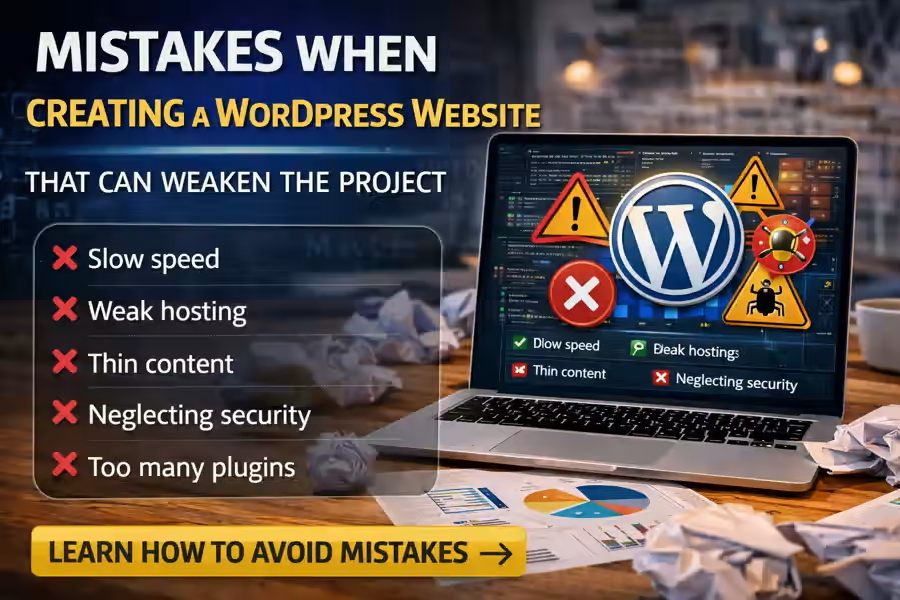
Creating a WordPress website can seem simple, especially because the platform offers many ready-made themes, plugins, and tools. However, because of that same flexibility, many people make mistakes right at the beginning of the project. And those mistakes can affect website speed, security, SEO, user experience, and even the ability to generate results.
Understanding the main mistakes when creating a WordPress website helps you avoid rework, unnecessary costs, and technical problems that could have been prevented with better decisions from the start. If you want to understand the broader foundation of the platform, it is also worth reading the main content about WordPress Website Creation.
In this article, we will look at the most common mistakes, why they happen, and how to avoid them in order to build a more professional, more stable, and more scalable website.
Why is it important to avoid mistakes from the beginning?
Many decisions made at the beginning of a project affect everything that comes later. A small mistake in the structure, theme, hosting, or plugins can create a chain of problems.
This can mean:
- a slow website;
- customization difficulties;
- technical conflicts;
- poor mobile experience;
- weaker Google rankings;
- higher correction costs later.
That is why understanding the mistakes when creating a WordPress website is not only useful for beginners. It is also important for companies and professionals who want a more solid project.
1. Choosing WordPress without a clear structure
One of the first mistakes is starting to install themes, pages, and plugins without having a clear idea of the website’s goal.
Before building the project, it is important to define:
- the type of website;
- the main pages;
- the business objective;
- the navigation structure;
- the target audience;
- the essential content.
Without that, the website starts in a disorganized way and becomes much harder to improve later. If you are building the project yourself, it may also help to read How to Make a WordPress Website by Yourself.
2. Choosing a theme only because it looks good
This is one of the most common mistakes when creating a WordPress website. Many people choose a theme only because the demo looks attractive, without checking speed, structure, responsiveness, and ease of customization.
A poorly chosen theme can bring:
- slow performance;
- layout limitations;
- mobile issues;
- plugin conflicts;
- editing difficulties.
Theme choice should be strategic. To explore this further, it is also worth reading How to Choose a WordPress Theme.
3. Installing too many plugins
WordPress allows you to add many features with plugins, but that does not mean the website should have dozens of them.
Installing too many plugins can cause:
- slow performance;
- technical conflicts;
- security risks;
- maintenance difficulties;
- an overloaded dashboard.
The ideal approach is to install only what truly makes sense for the project. To understand this part better, you can read Which Plugins Are Necessary for WordPress.
4. Ignoring website speed
Many people think about speed only after the website is already finished. But performance should be considered from the beginning.
A slow website harms:
- user experience;
- conversion;
- SEO;
- brand credibility.
Speed is influenced by several factors, such as the theme, images, plugins, and server. That is why another important point is choosing hosting carefully. In that sense, it can help to read How to Choose Hosting for WordPress.
5. Choosing weak hosting
A WordPress website may have a good design and good content, but if it runs on weak hosting, the whole project suffers.
Poor hosting can cause:
- slow loading;
- downtime;
- technical difficulties;
- security problems;
- growth limitations.
This is one of the mistakes that most strongly damages overall website performance, especially in business projects.
6. Not thinking about mobile from the beginning
Today, a large share of traffic comes from smartphones. Even so, many people still build the website almost entirely with desktop in mind.
This mistake can lead to:
- hard-to-read text;
- poorly positioned buttons;
- confusing navigation;
- worse user experience;
- lost conversions.
The website should work well on all devices, not only on desktop.
7. Publishing the website with weak content
Another of the major mistakes when creating a WordPress website is focusing only on visuals and forgetting about content.
A good website needs clear, useful, and user-focused writing. If the content is generic, weak, or poorly structured, the website loses strength even if the design looks attractive.
The content should explain:
- who the company is;
- what it offers;
- what the benefits are;
- why the visitor should trust it;
- how to get in touch.
8. Ignoring basic SEO
Many people launch the website without configuring the basics of SEO. That significantly reduces the chances of growing organically on Google.
Among the most common mistakes are:
- missing optimized titles;
- weak meta descriptions;
- poorly organized headings;
- unclear URLs;
- unoptimized images;
- weak internal structure.
WordPress offers a strong SEO foundation, but it has to be configured correctly.
9. Not installing backups
Realizing the importance of backups only after a problem happens is a classic mistake.
Without backups, any issue can mean:
- content loss;
- configuration loss;
- higher costs;
- longer recovery time.
A WordPress website should have automatic backups and a simple restoration system from the very beginning.
10. Underestimating security
Another common mistake is thinking that only big websites need protection. In reality, any website can become a target of spam, login attempts, or vulnerabilities.
Ignoring security can expose the project to:
- unauthorized access;
- malware;
- data loss;
- instability;
- reputational damage.
That is why security should be treated as an essential part of the website foundation.
11. Creating confusing navigation
A website may have a good design and strong content, but if navigation is confusing, users will not find what they need.
Some common mistakes include:
- a disorganized menu;
- too many options;
- pages without logic;
- unclear links;
- confusing structure.
Navigation should be simple, intuitive, and designed to help the visitor move forward.
12. Not testing before publishing
Publishing without testing is another very common mistake. Before launch, it is important to review everything carefully.
You should test:
- links;
- forms;
- mobile version;
- speed;
- spelling;
- images;
- menus;
- internal pages.
Small mistakes are easy to miss, but they can create a poor first impression.
13. Choosing the wrong platform for the project goal
Not everyone compares WordPress with other solutions before starting. In some cases, that is a mistake, because the choice of platform should make sense according to the type of website and the level of freedom you need.
If you want to compare it with another popular option, you can also read WordPress or Tilda.
14. Thinking only about the short term
A very common mistake is building the website just to “get it online” without thinking about future growth.
But a professional website should be prepared for:
- new pages;
- SEO;
- new services;
- a blog;
- campaigns;
- integrations with tools;
- business growth.
When this vision is missing, the website can become limited too early.
15. Always choosing the cheapest option
Trying to save money on everything can become expensive later. This happens with themes, hosting, plugins, content, and technical support.
It is not always necessary to spend a lot at the beginning, but it is important to understand that the lowest price does not always mean the best decision. If you are evaluating investment, it also makes sense to read How Much Does a WordPress Website Cost.
How can you avoid these mistakes?
The best way to avoid problems is to work with more method from the beginning.
It is important to:
- define objectives;
- think about the structure;
- choose the theme carefully;
- use only the necessary plugins;
- take care of speed;
- choose good hosting;
- prepare quality content;
- test everything before launch.
With these decisions, the website becomes more professional and healthier for long-term growth.
Conclusion
Knowing the main mistakes when creating a WordPress website is essential to avoid problems that can damage the quality of the project. Many of these mistakes seem small at first, but later they affect speed, security, SEO, management, and results.
Building a good WordPress website depends not only on the platform, but on how the project is planned and executed. And to get a broader understanding of everything WordPress can offer, this page should be linked to the main content about WordPress Website Creation.