
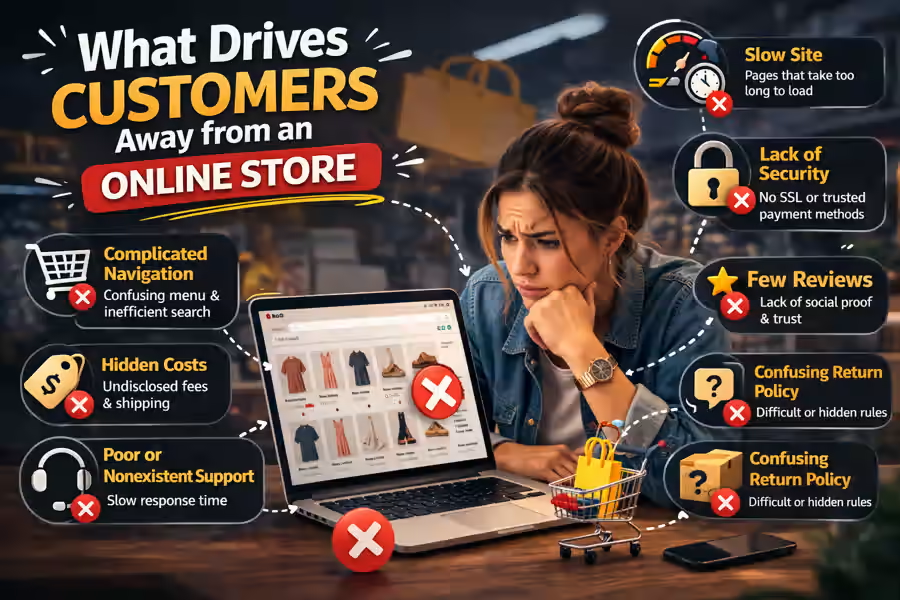
Getting traffic to an online store is only part of the job. The bigger challenge is turning visitors into buyers. In 2026, customers expect more than just products and prices. They want speed, clarity, trust, and a smooth shopping experience.
That is why many stores struggle even when they attract clicks from Google, ads, or social media. The issue is often not traffic itself. Instead, the problem lies in what people experience once they land on the site.
A confusing layout, weak product pages, poor mobile usability, or a complicated checkout can quickly push potential buyers away. Even a good product may not sell if the store feels difficult or unreliable.
Before improving conversions, it also helps to understand the bigger strategy behind the project. For that reason, it is worth reading How to Choose the Best Online Store for Your Business.
In this guide, we will look at the main reasons customers leave an e-commerce site without buying and what you can do to fix those problems.
1. Unprofessional design
First impressions happen fast. Within a few seconds, visitors decide whether your store feels trustworthy or not.
If the design looks outdated, cluttered, or inconsistent, confidence drops immediately. As a result, many users leave before they even open a product page.
Common warning signs include:
- too many colors
- hard-to-read fonts
- low-quality images
- messy banners
- an unbalanced layout
A strong store design does not need to be flashy. It should feel clean, modern, and easy to understand.
2. Confusing navigation
Even the best products will not sell if users cannot find them.
A visitor may arrive ready to buy, but confusing menus or poorly organized categories make the process frustrating. When that happens, people often leave and look elsewhere.
A store should make it easy to understand:
- where to browse products
- how categories are organized
- where the cart is located
- how to complete the purchase
That is why structure matters so much. If you want to improve this area, also see How to Structure an Online Store to Sell More.
3. Weak product pages
Product pages are often the point where customers decide whether to buy or leave.
Many stores treat them as simple placeholders. A page with vague descriptions, poor images, or missing details creates uncertainty. Consequently, trust goes down and conversions suffer.
A strong product page should include:
- clear product title
- useful description
- high-quality images
- visible pricing
- delivery information
- return details
- trust signals such as reviews
The page should also answer obvious questions before the user has to ask them.
This topic also connects with How to Prepare Products for an Online Store, because presentation has a direct impact on sales.
4. Lack of trust signals
Trust is one of the biggest factors in e-commerce. Even if someone likes the product, they may still avoid buying if the store feels uncertain or unsafe.
Customers often become hesitant when they do not see:
- clear contact information
- details about the company
- return or refund policies
- secure payment methods
- testimonials or reviews
Small trust elements can make a major difference. Visible contacts, FAQ sections, policies, and social proof all help reduce doubt.
Without those signals, the website may feel incomplete or risky.
5. A complicated checkout
Checkout is one of the most important parts of the entire store. At the same time, it is one of the biggest points of loss.
If the checkout is too long, confusing, or slow, many customers will abandon the order. This is especially true on mobile devices.
Typical mistakes include:
- too many required fields
- hidden costs
- unclear order totals
- forced account creation
- weak mobile usability
Therefore, checkout should be simple, transparent, and fast.
If you want to improve results here, read How to Improve the Conversion of an Online Store.
6. Slow loading speed
Website speed has a direct effect on user behavior. If pages take too long to load, visitors lose patience and leave.
This problem becomes even more serious on mobile, where users expect quick access and smooth navigation.
A slow store hurts:
- user experience
- conversion rate
- ad performance
- SEO visibility
Oversized images, poor hosting, or too many heavy scripts can make a store feel frustrating. Even if everything else is done well, slow performance can still cost sales.
7. Poor mobile experience
Today, many purchases begin on a smartphone. Because of that, a bad mobile experience can damage results very quickly.
Some common issues are:
- tiny buttons
- difficult menus
- broken layouts
- awkward filters
- uncomfortable checkout forms
A store may look good on desktop but still perform badly overall if the mobile version is weak.
Instead of treating mobile as an afterthought, businesses should build with mobile usability in mind from the start.
8. Missing key information
Customers want clear answers before they buy. When important details are missing, uncertainty grows.
Typical examples include:
- delivery times
- shipping costs
- payment methods
- stock availability
- return conditions
Because of this, even interested visitors may delay the decision or leave entirely.
A complete store should make information easy to find. That is exactly why it helps to understand What Pages Should an Online Store Have.
9. Too many distractions
Not every problem comes from missing content. Sometimes the issue is the opposite: too much happening on the screen.
Excessive pop-ups, animated banners, and too many competing buttons can overwhelm users. Instead of helping the purchase, these elements interrupt it.
A better approach is to keep the focus clear. Every page should guide users naturally toward the next step.
10. The wrong platform for the project
Sometimes the problem is deeper than design or content. In some cases, the platform itself does not match the needs of the business.
If a store has weak flexibility, technical limitations, or poor scalability, those issues eventually affect both user experience and sales performance.
That is why platform choice matters. If you are still comparing options, take a look at WooCommerce or Shopify: Which Platform Should You Choose for Your Online Store.
Businesses that want professional support often consider solutions such as WooCommerce Online Store Development or Professional Shopify Store.
11. No real focus on conversion
A store can look fine and still underperform.
Many websites are built to display products, not to convert visitors into buyers.
To improve sales, the store should support:
- clear visual hierarchy
- strong calls to action
- a logical buying path
- low friction
- trust at every stage
Without that focus, traffic may grow while sales remain disappointing.
12. No supporting content
Not every visitor is ready to buy immediately. In many cases, people need to compare options, learn more, or feel more confident first.
This is where content becomes valuable. A blog can answer questions, bring organic traffic, and support buying decisions.
Helpful topics might include:
- How Much Does It Cost to Build an Online Store for a Business
- How Long Does It Take to Build an Online Store
- How to Create an Online Store in 2026: Complete Guide for Businesses
As a result, the store becomes more useful, more visible in search, and more persuasive over time.
How to fix these problems
The good news is that most of these issues can be improved.
First, identify where users drop off:
- homepage
- category pages
- product pages
- cart
- checkout
Next, review the store from the customer’s point of view. Ask yourself whether the site feels clear, fast, trustworthy, and easy to use.
After that, focus on improving:
- structure
- clarity
- speed
- trust
- mobile usability
- conversion flow
Step by step, these changes can make a big difference.
Conclusion
What drives customers away from an online store is not always the price or the product. More often, it is poor structure, weak trust, usability issues, and unnecessary friction during the buying process.
An e-commerce site may lose sales because of:
- unprofessional design
- confusing navigation
- weak product pages
- lack of trust
- difficult checkout
- slow speed
- poor mobile experience
By fixing these areas, you make the store easier to use, more trustworthy, and far more effective at converting visitors into customers.
In many cases, selling more is not about getting more traffic. Instead, it is about stopping the loss of the visitors you already have.
FAQ
What makes customers leave an online store?
The most common reasons are lack of trust, confusing navigation, slow performance, weak product pages, and a complicated checkout.
Can bad design really hurt sales?
Yes. A messy or outdated design reduces confidence and makes users more likely to leave.
Is checkout that important?
Absolutely. A difficult checkout is one of the main causes of abandoned purchases.
Does mobile experience affect conversions?
Yes. If the store does not work well on phones, many users will leave before completing the order.